
The Road To Wordy Blob 1 of 3
Wordy Blob is a word game I created using .NET MAUI. It was my third app (after Plate Tectonics Viewer and Maxwell's Demon) and it re-used some of the graphical elements I created in that second one. These three blogs describe the process I went through to make it, starting with that Plate Tectonics Viewer - the first one. It is aimed at people with some basic knowledge of C# and .NET MAUI programming who are perhaps interested in getting started with .NET MAUI and want to see one example of how that happened.
MAUI DEV STORIES
Stephen Moreton-Howell
6/10/20269 min read
A Brief Account of the Start of the Journey
Way back last century I worked (briefly) as a high school physics teacher. It was then, as far as I remember, that I first decided that I was interested in creating educational software. Fast forward to 2002. I've been working as a software engineer for about four or five years by this time. I'm made redundant from the pharmaceuticals research startup company I've been briefly working for and decide the take the plunge into developing educational physics simulations.
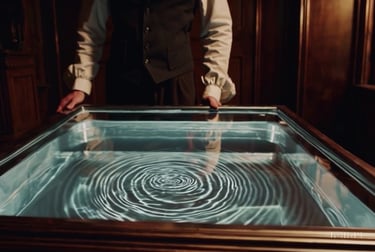
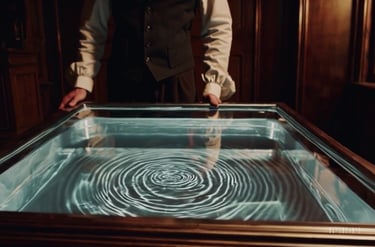
I start with a simple simulation of a ripple tank, as used in schools to demonstrate wave effects. But, with a mortgage to pay, I'm also looking for paid work. I find it, at an educational software company called Immersive Education who, among other things, also happen to be developing a ripple tank simulation! So I take the job and co-develop their physics software for schools called Krucible.
A Ripple Tank
Eight years later, I'm working in avionics software and still interested in physics education, including ripple tanks. Immersive Education went out of business but the former CEO now writes educational children's books. But it's, like, 2013 the iPad boom is in full swing and he's interested in the possibilities of transferring the books onto tablets and phones. So I quit the job and become a freelance mobile app developer. I just need a cross-platform development system that I can use to write apps in a single set of code that can target both iOS and Android. Ideally, I need something that will allow me to write code in a familiar language and that won't suddenly become obsolete and leave me high and dry just when I've spend ages developing my code base. I find it! And it's called... .NET MAUI? No. Too soon. It's called...


In the beginning...
The dream job?
The search for a cross-platform development system
Lady Marmalade
Marmalade was a system that allowed you to write code in C++ and target multiple platforms, including iOS and Android. Since most of my professional career so far had involved writing C++, it seemed like the obvious choice. So I chose it, and started writing apps. Among them were the good old ripple tank and a plate tectonics simulation.
But Marmalade suddenly became obsolete and left me high and dry just when I'd spent ages developing my code base.
Finally .NET MAUI
After a few years full-time back in the avionics business, .NET MAUI came along. By this time, most of the Windows-based software development I'd been doing had been in C#, the language used by .NET MAUI. And since it's a Microsoft technology, I can hope that it won't stop being supported, like Marmalade.


So I decide that this is the cross-platform system for me and dive in to see what it can do.
This blog is part of MAUI UI July - See the full line-up here.
OK. I need to think of a first app that will show some of the graphical functionality of .NET MAUI, and how fast it can draw.
Don't waste the data from 10 years ago - reuse and recycle
What can it do, and how fast can it do it?
As I said, one of the apps I developed back in those marmalade days was a plate tectonics simulation. This was for the apps I was writing to compliment those educational books I mentioned. The idea was to show how the Earth's tectonic plates have moved over hundreds of millions of years. To do that I had to find a way to gather some data on those movements. Ideally I needed a database of the longitude and latitude coordinates of the edges of the continents as they moved, but I couldn't find anything like that. What I could find was animations showing the way these things are believed to have gone. So I took one of those animations, showing the continents in a Mollweide projection, and wrote a utility application, running on Windows, to help me create my database of points from it. This is it:
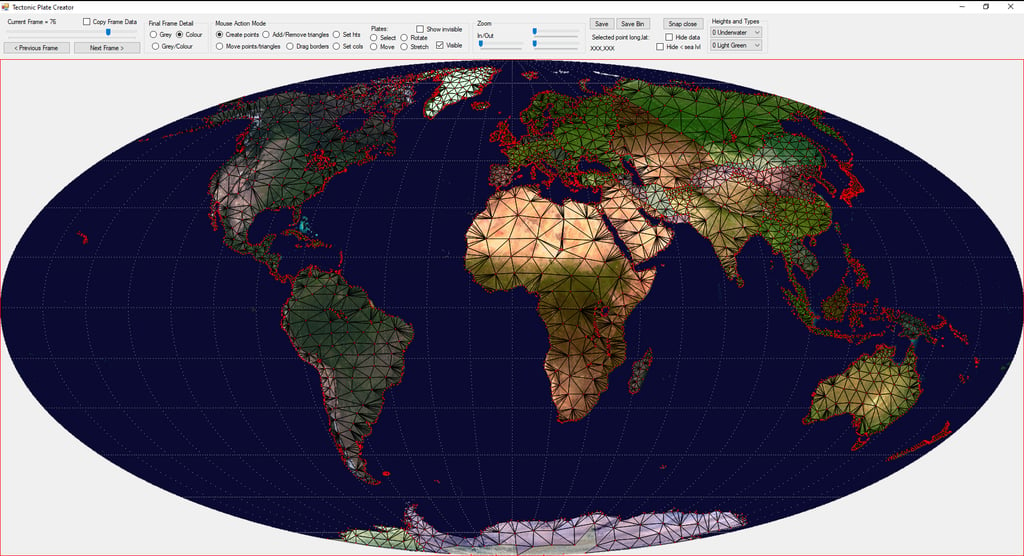
For each frame of the animation I used the mouse to draw a mesh of points representing each major land mass. Then go back a frame (each frame representing 10 million years) and move those points. Repeat until I've gone back 600 million years, and I've got a database of points, saved in a format that I can use.
I now want to design a first, simple .NET MAUI app which will draw those points and allow the user to scroll backwards and forwards through the millennia, seeing how the continents have moved.
Create a first .NET MAUI app
In Microsoft Visual Studio 2022 (as it was then) it's pretty easy to get up and running with a first "Hello World!" .NET MAUI app in a few clicks:
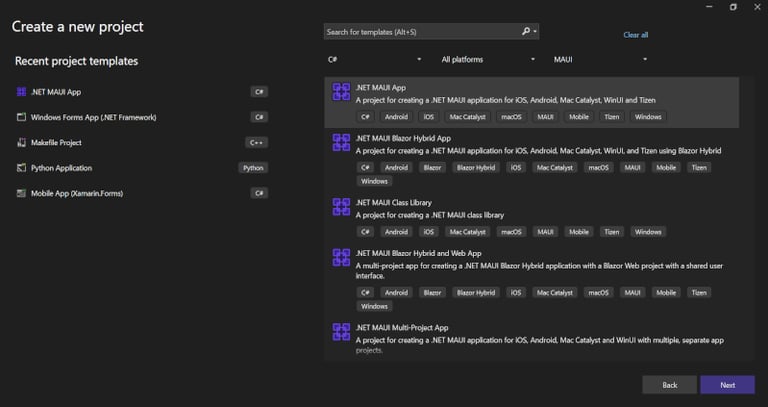
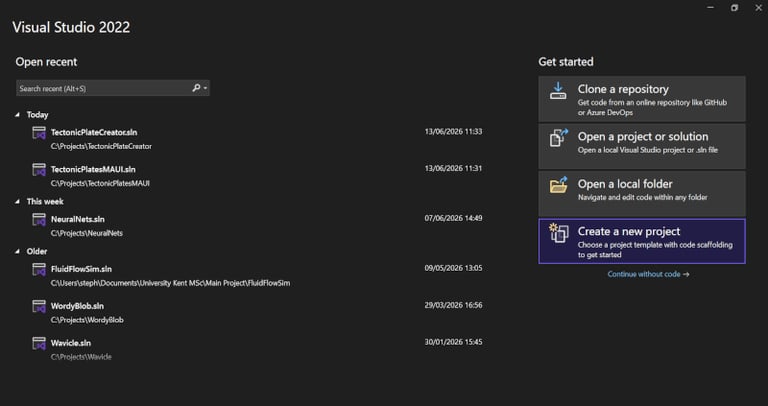
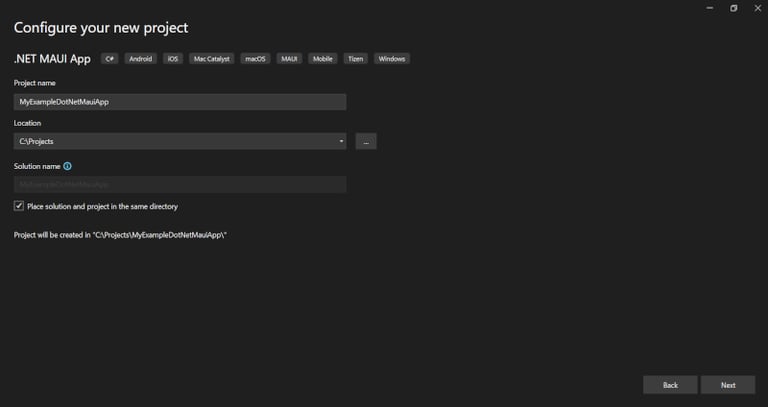
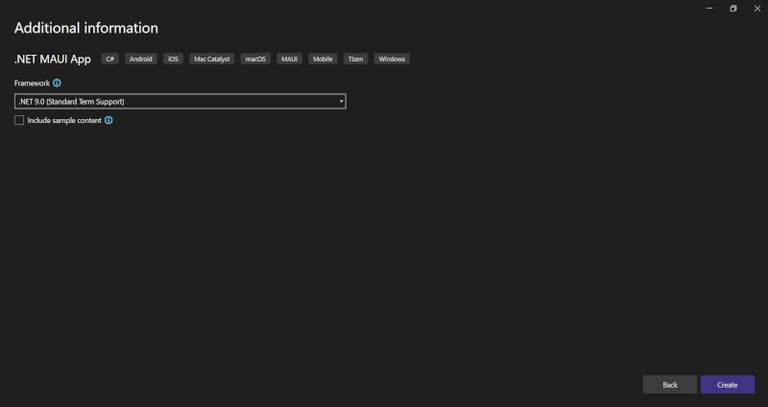
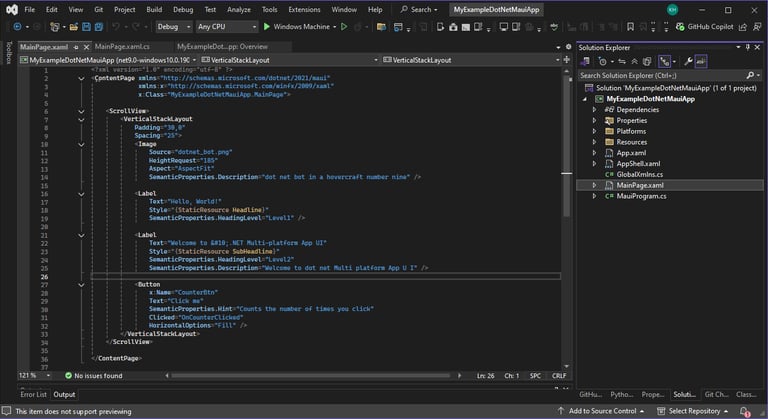
Create a new .NET MAUI app
And we've got a simple app that we can adapt to our own purposes.
The most interesting file in the project at this stage is MainPage.xaml. It defines the layout of the first page we're going to see. For my first app, I only really want this one page. I want it to contain a load of controls and a large central area in which I will draw my map.
So my first task, after creating the bare-bones project, was to decide on a layout.
Below is a drawing I did as a first attempt at that.
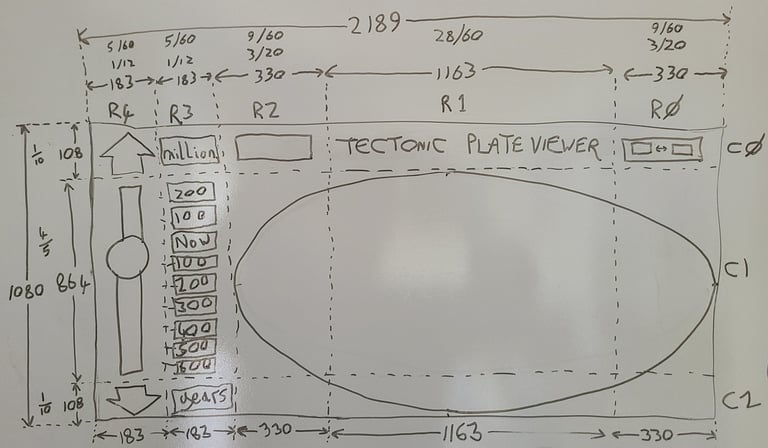
The plate tectonics viewer lends itself to being displayed in landscape mode, so for this particular app I took the unusual step of laying everything out sideways. Maybe wasn't the best thing to in retrospect do but it was my first .NET MAUI app.
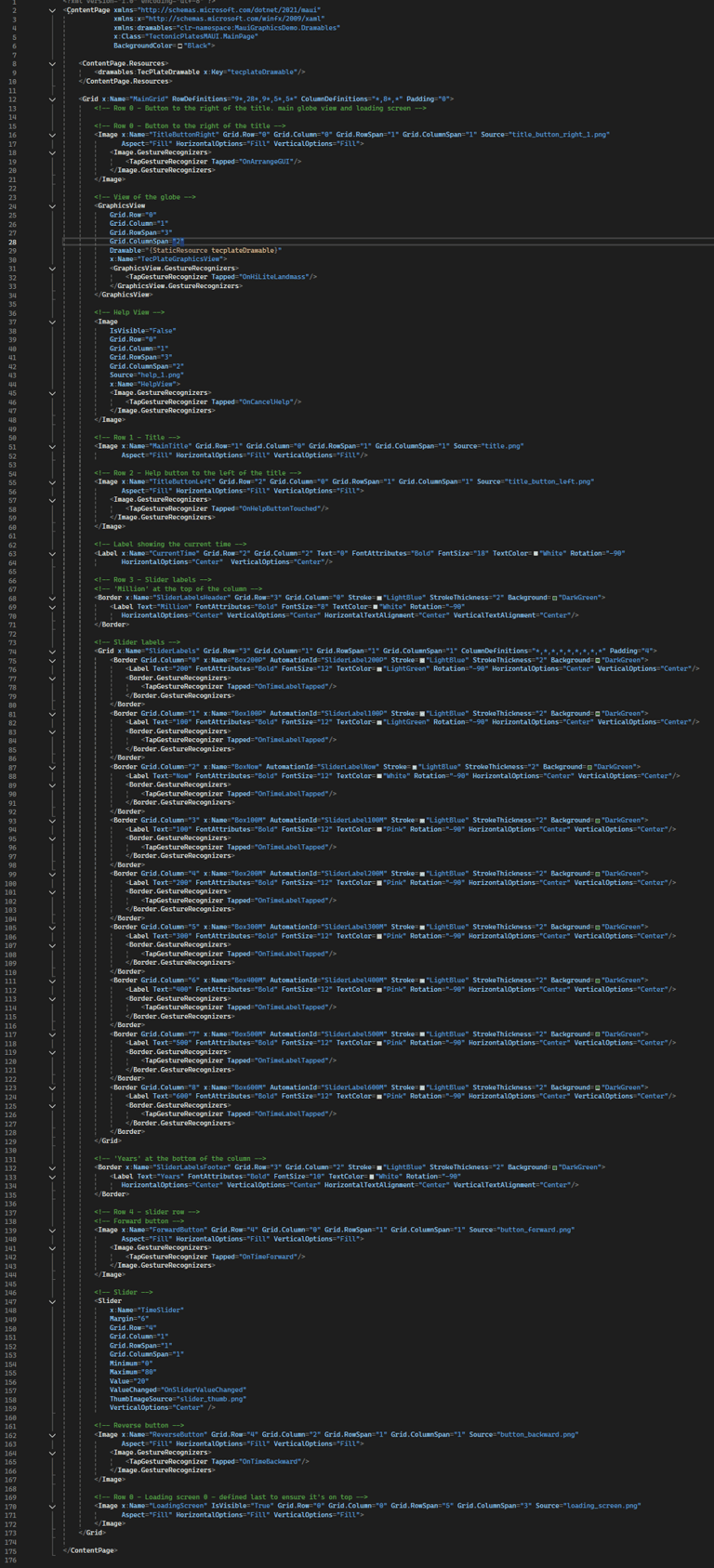
I used the Grid control in the XAML to layout the GUI. So, in the plan shown above, the rows are shown with R's, from R0 (right) to R4 (left) and the columns are shown with C's from C0 (top) to C2 (bottom). You can see in the MainPage.xaml that the view of the globe spans 3 rows (2,1,0) and 2 columns (1,2). This globe view is a represented by the GraphicsView object on lines 24 to 34.
Controls for doing things like selecting an era (to the nearest 100 million years) use the built-in TapGestureRecognizer to call the appropriate C# method when the control is tapped.
MainPage.xaml
MainPage.xaml.cs
When I created a new .NET MAUI project, a short MainPage.xaml file was created which I then adapted to my needs, as described and illustrated above. Also, the code-behind file for this .xaml files was created. That's MainPage.xaml.cs. This is the starting point for all the code in this simple app. It contains the definition of the MainPage class, which contains methods which are called when the user does something, like clicking on a button.
It also owns the GraphicsView object mentioned above, which is given the name TecPlateGraphicsView on line 30 of the .xaml file. This graphics view itself owns an instance of a class derived from the IDrawable interface which is defined on line 27 of MainPage.xaml.cs as _TecPlateDrawable. That class derived from iDrawable is called TecPlateDrawable and is defined in the TecPlateDrawable.cs file.
TecPlateDrawable.cs
The TecPlateDrawable class, being derived from the IDrawable interface, implements its Draw() method. It is from this method that all the drawing of the globe takes place. So I designed a class called TecGlobe (implemented in the TecGlobe.cs file) and had an instance of that class owned by the TecPlateDrawable class. All the data and methods necessary to draw the globe for a particular year (the present, 200 million years ago, or whatever) are encapsulated in that class.
TecGlobe.cs
So the TecGlobe class is the first one we've come to that was not already in the project when it was created and not derived from a pre-existing class or interface. It knows the current frame of the plate tectonics animation (the current 100 million year) and how to draw it. It also knows some other stuff, like which land mass is currently highlighted.
At the heart of its drawing code are the ICanvas.FillPath() and ICanvas.DrawPath() methods (see, for example, lines 191 and 202). In asking myself "what can it do and how fast can it do it?" I was really asking how quickly these methods, particularly the fill, executed. The tectonic plate position information that I painstakingly created using the Windows-based utility app described above contains a huge number of longitude and latitude points. They need to be converted to x,y screen coordinates and then used to draw a very large number of filled shapes. Before starting the design of this app I had no clear idea of whether these shapes would be drawn fast enough to be able to move through those 100s of millions of years in real time, or the extent to which I might need to simplify them. They were drawn fast enough.


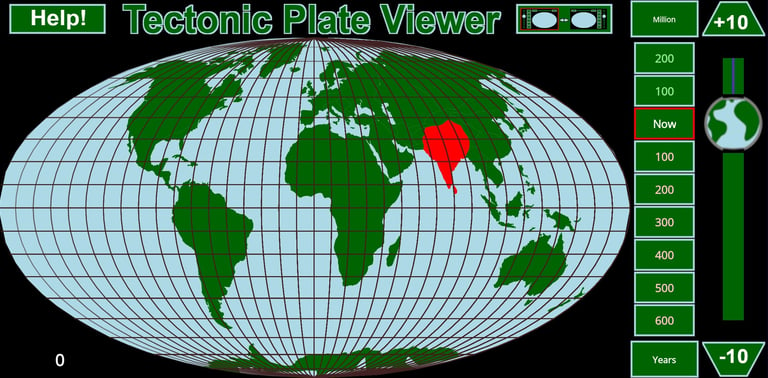


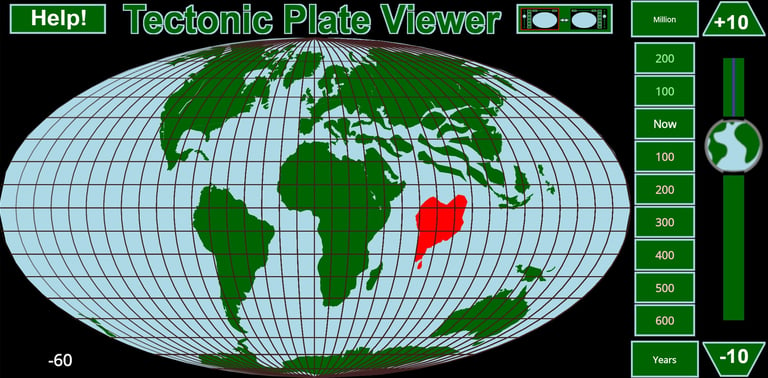
The data output from the Windows-based utility app (above) is stored in binary compressed format in a file that is included in the .NET MAUI app's Resources/Raw folder, in a file called plates_bin_comp.dat. The TecGlobe class's LoadAllFrameDataBinaryFromStream() method (line294) reads this in and stores it in the data structures defined in FrameData.cs. As with a lot of meshes like this, I store the coordinates as points (PointData.cs) and store a mesh of trianges (TriangleData.cs) that reference those points. The original idea was to use these points to draw a proper 3D relief map, but for the first release I stuck to just drawing the landmasses as flat green shapes, as shown here.
Storing the Longitude/Latitude Data
Sliding into the Past
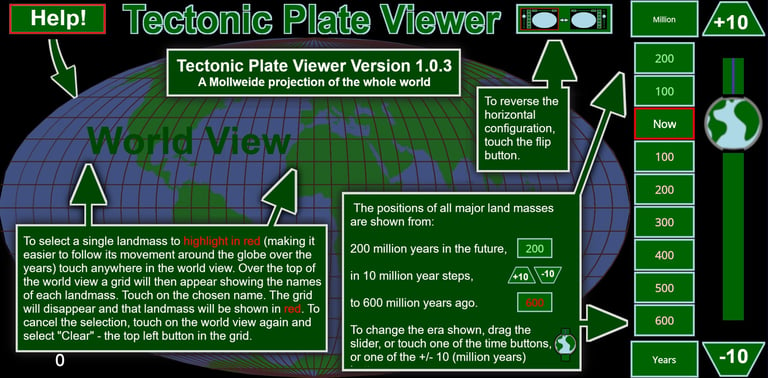
The controls shown in these screenshots are all defined in the MainPage.xaml
and those controls that act as simple buttons, like the green ones labelled in hundreds of millions of years, can just use the TapGestureRecognizer which you can see in that .xaml file. The slider control on the right-hand side is defined in the .xaml file as a Slider, with the OnSliderValueChanged() method called when the slider position moves. Both the buttons and the slider cause the GlobeCurrentMillionYear property of the TecPlateDrawable to be altered, which passes on to the TecGlobe object's CurrentFrame property, which is used next time the TecGlobe.DrawCurrentFrame() is called.
XAML and C# for the UI
The main layout, as defined in that hand drawing above, is defined in the MainPage.xaml file. Variations on that theme need to occur when:
The user flips the left/right positions of everything. When this happens the layout defined in the .xaml file is altered in the .cs file.
The "Help!" button is pressed. When this happens a predesigned help screen is superimposed over the globe view.
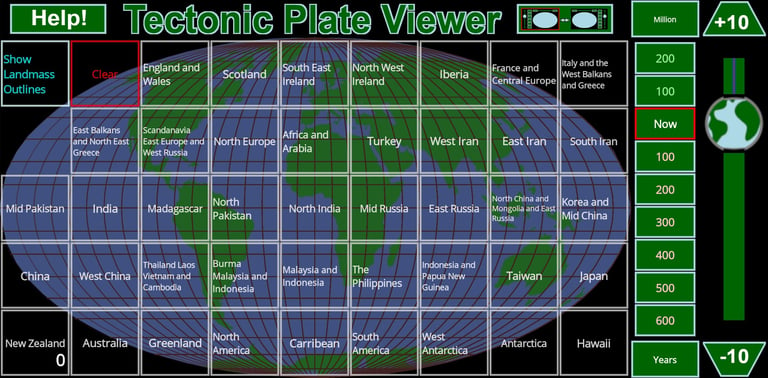
The user touches anywhere on the map. When this happens, a grid of buttons showing the names of all the land masses is superimposed over the globe view (see screenshot below). When a button is touched, the selected land mass is highlighted in red on the map, so it can be tracked as the time is changed.
That's pretty much it. A simple first app to establish the app release pipeline and test the capabilities of .NET MAUI. At the time of writing this I've released it for Android but not yet got around to releasing it for iOS. So far it's been the most downloaded of my apps. Initially quite popular in The Philippines for some reason.


Having established some of what .NET MAUI is capable of, I decided the next app would be a proper game, with animation and a scoreboard and all that. But that's the subject of part 2 in this blog series.